 TAC Game Club


Start game – the result is almost automatic
A tap opens the table, a photo starts the timer, and a second one captures the final position. The system reads the marbles from the board, and you just confirm. What used to be entered manually after the match is now almost finished.

Process
Five steps to the result
Open table
"Start game" opens a table with its own number. It immediately appears in the list of running games with the name of the person who opened it, so everyone knows which table in the room is being used.
Start photo
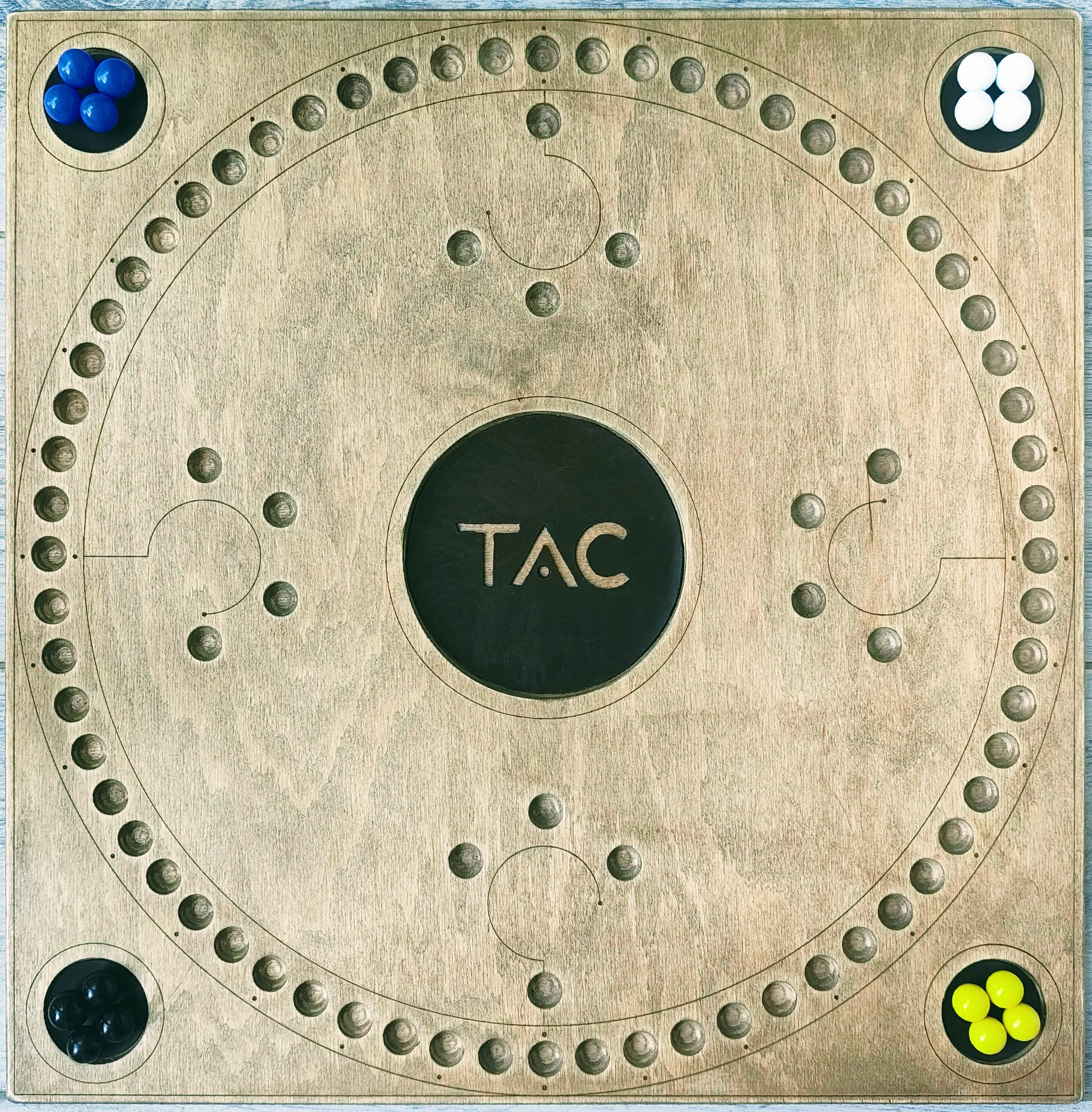
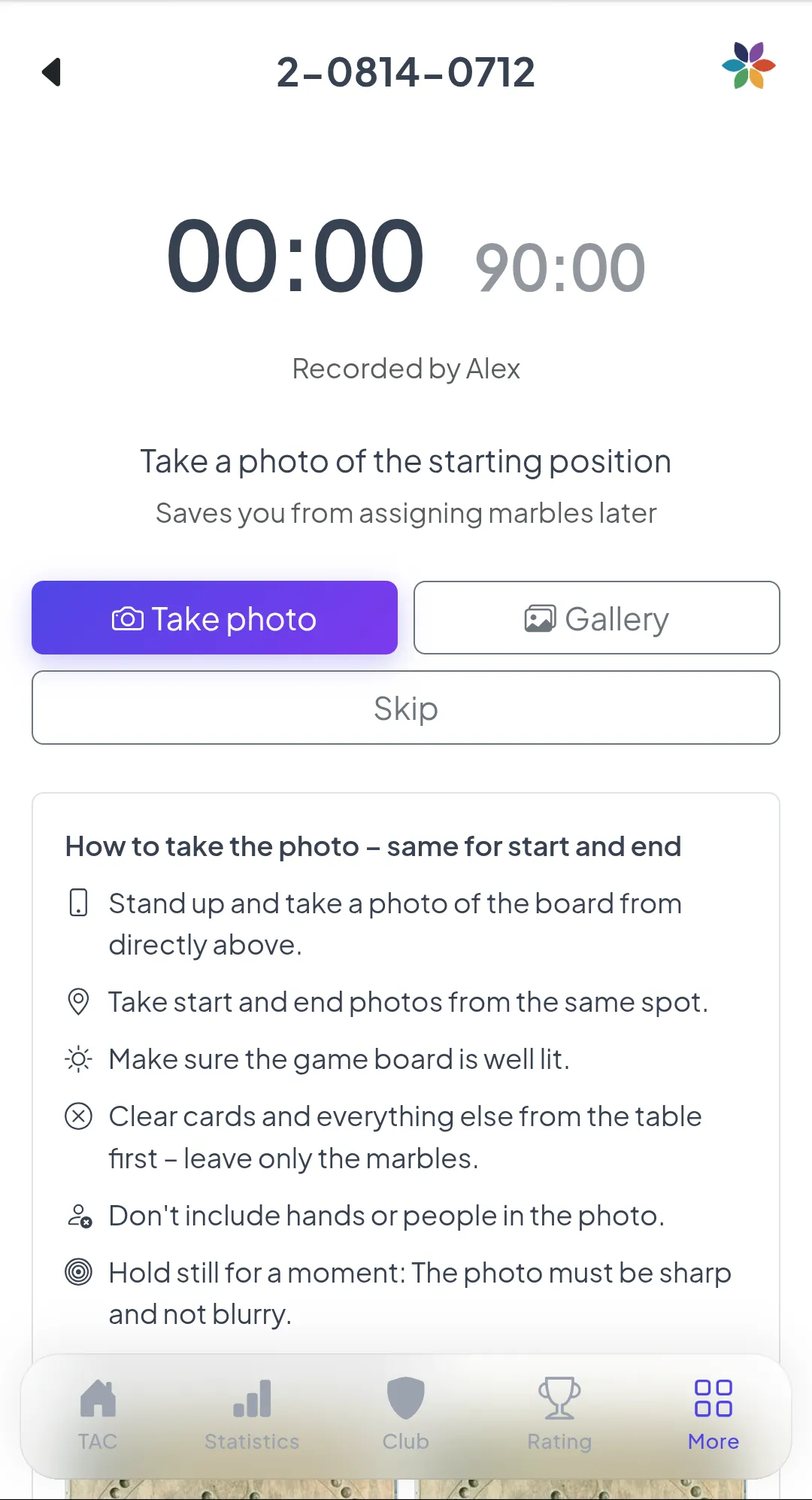
A photo of the starting position from above. It starts the timer and records which color plays on which side – the detail that's hardest to reconstruct later.
The clock is running
Two timers: elapsed time counts up, and the time remaining until your club's target duration counts down, turning red if you exceed it. Meanwhile, enter the seating order.
Final photo
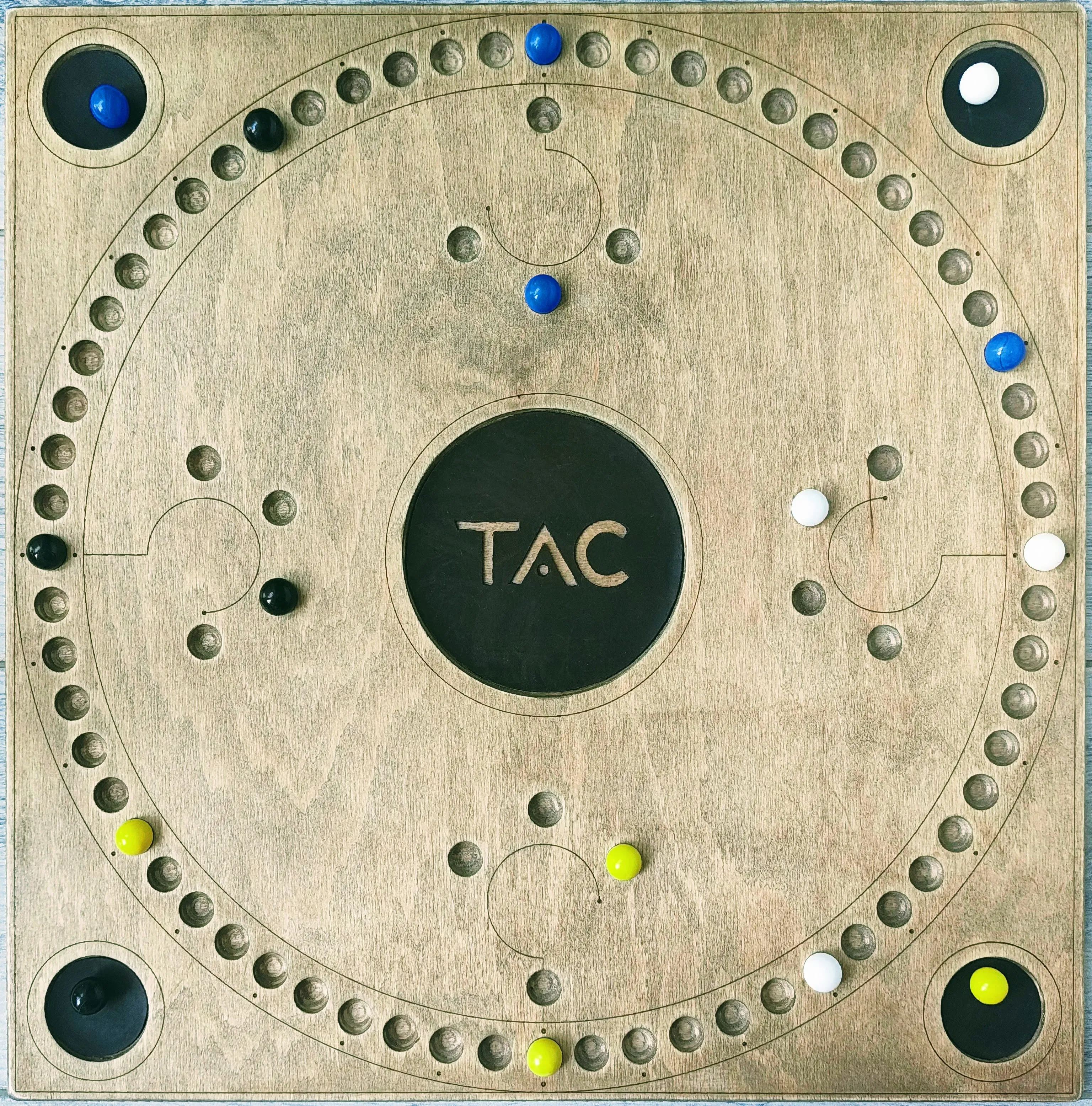
At the end, take a second photo from the same direction as the first. The timer stops, and the system compares both images to assign each marble to the correct side.
Review and save
The record form is pre-filled: players, duration, event, and marbles per side. Correct any mistakes in seconds – it's only saved once you confirm.
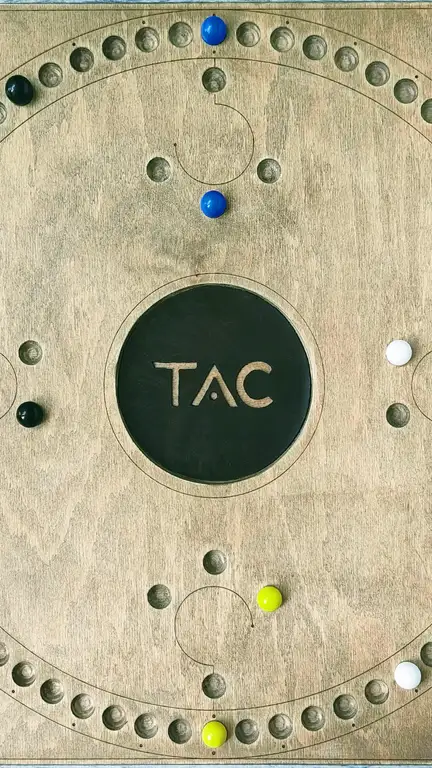
At the table
What the table handles for you
No extra device, no stopwatch, no paper – everything runs in the Mini App
Elapsed and remaining time side by side. Everyone at the table can see when time is running out—and the exact duration is recorded in the result, no guessing needed.
Players are entered as they sit at the table – you're at the bottom. Matchups are determined automatically.
The evaluation detects how many marbles each side has in the home area, in the base, and still on the track, and pre-fills the result.
Multiple matches run side by side during a club evening. Each table has a number, and the list shows at a glance how long each match has been running.
Photos
How to get the two photos right
Detection depends on the image quality. Six rules are enough – they apply to both start and end photos.
- ✓Stand up and take a photo of the board directly from above.
- ✓Take start and end photos from the same spot.
- ✓The game board should be well lit.
- ✓Clear cards and everything else from the table first – only the marbles should remain.
- ✓Hands and people must not be in the picture.
- ✓Hold still: the photo must be sharp and free of motion blur.
From the app
How it looks on your smartphone
Five screens from the starting photo to the saved result — exactly what you have in front of you at the table.
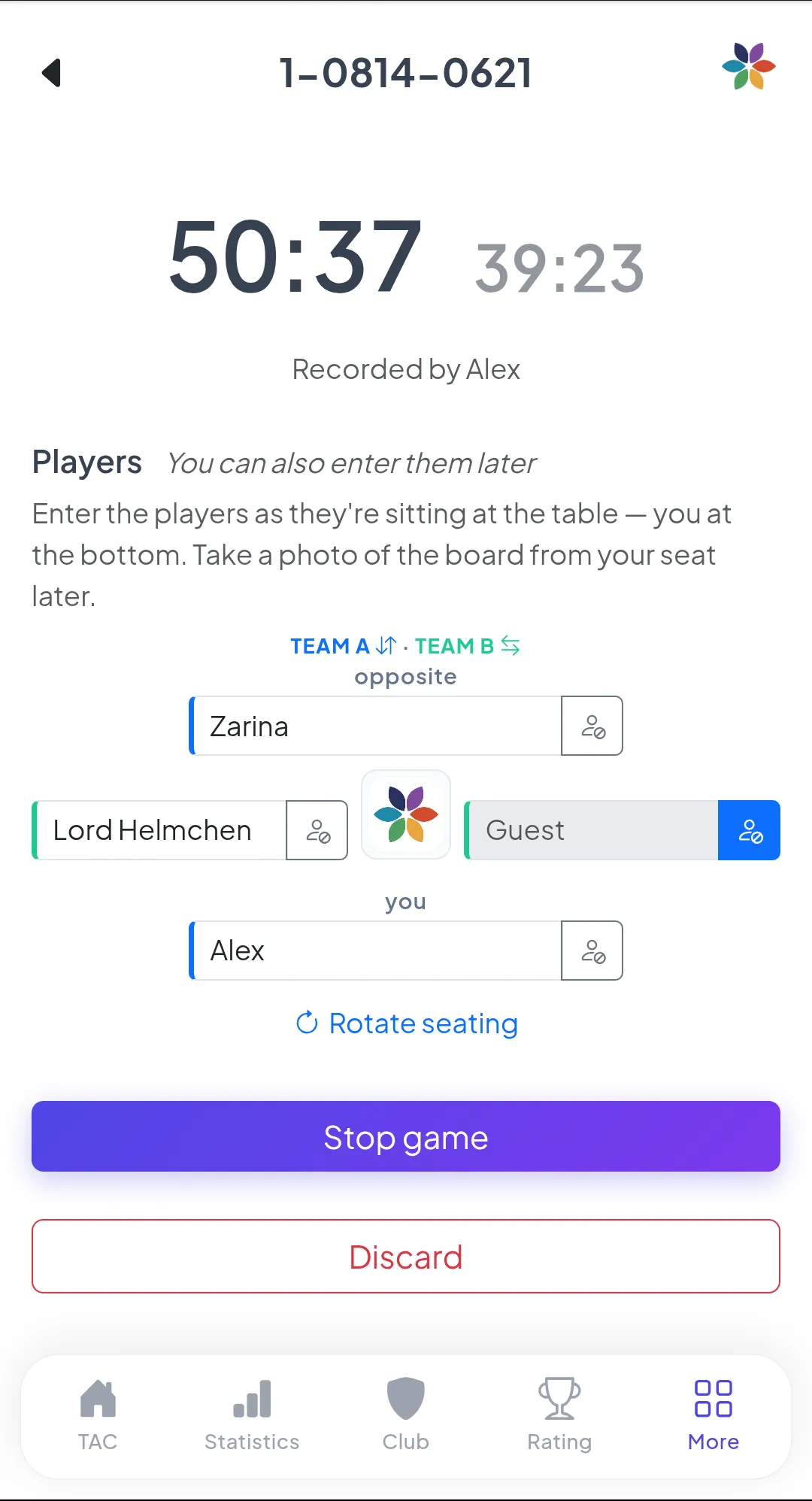
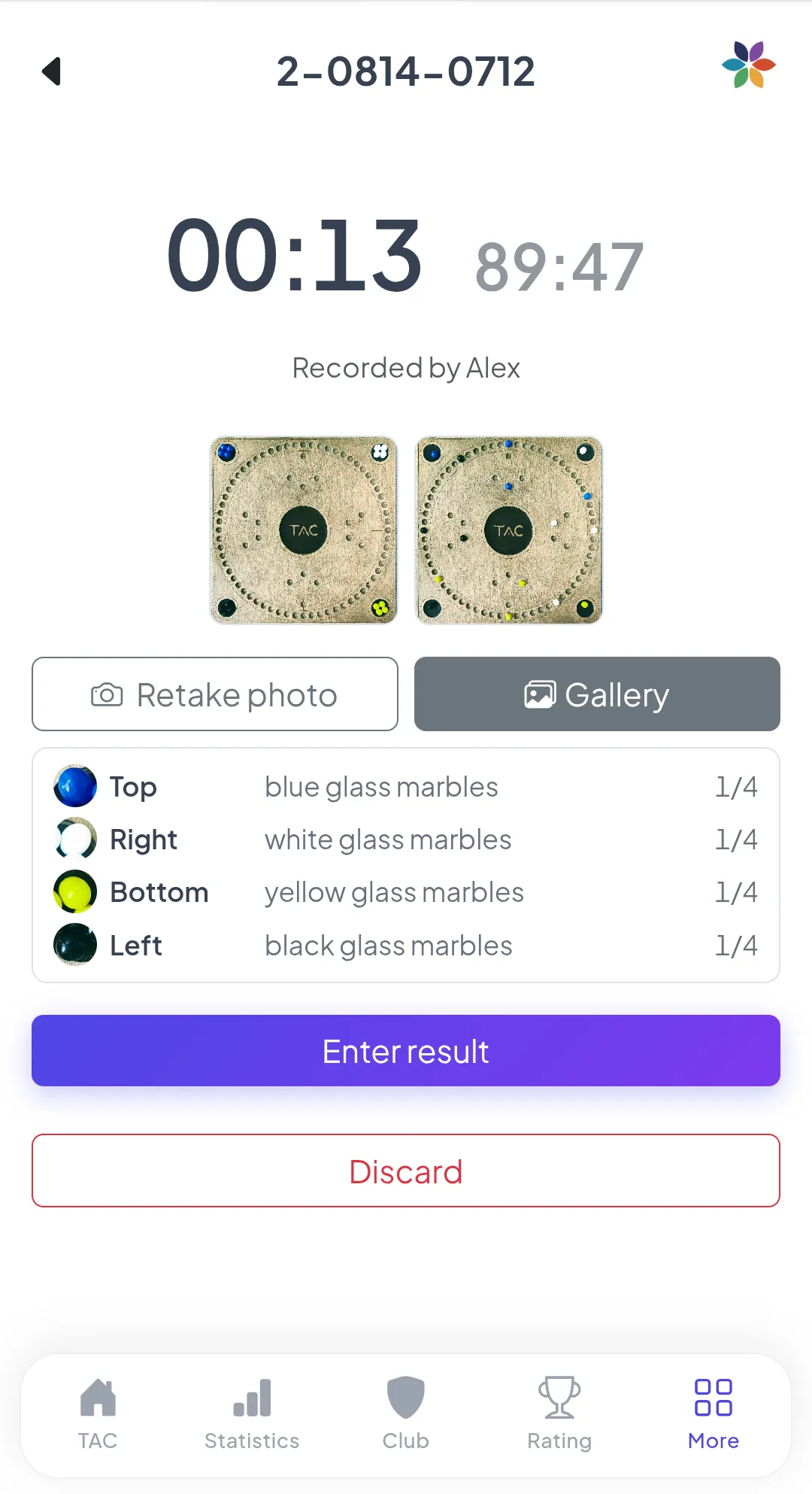
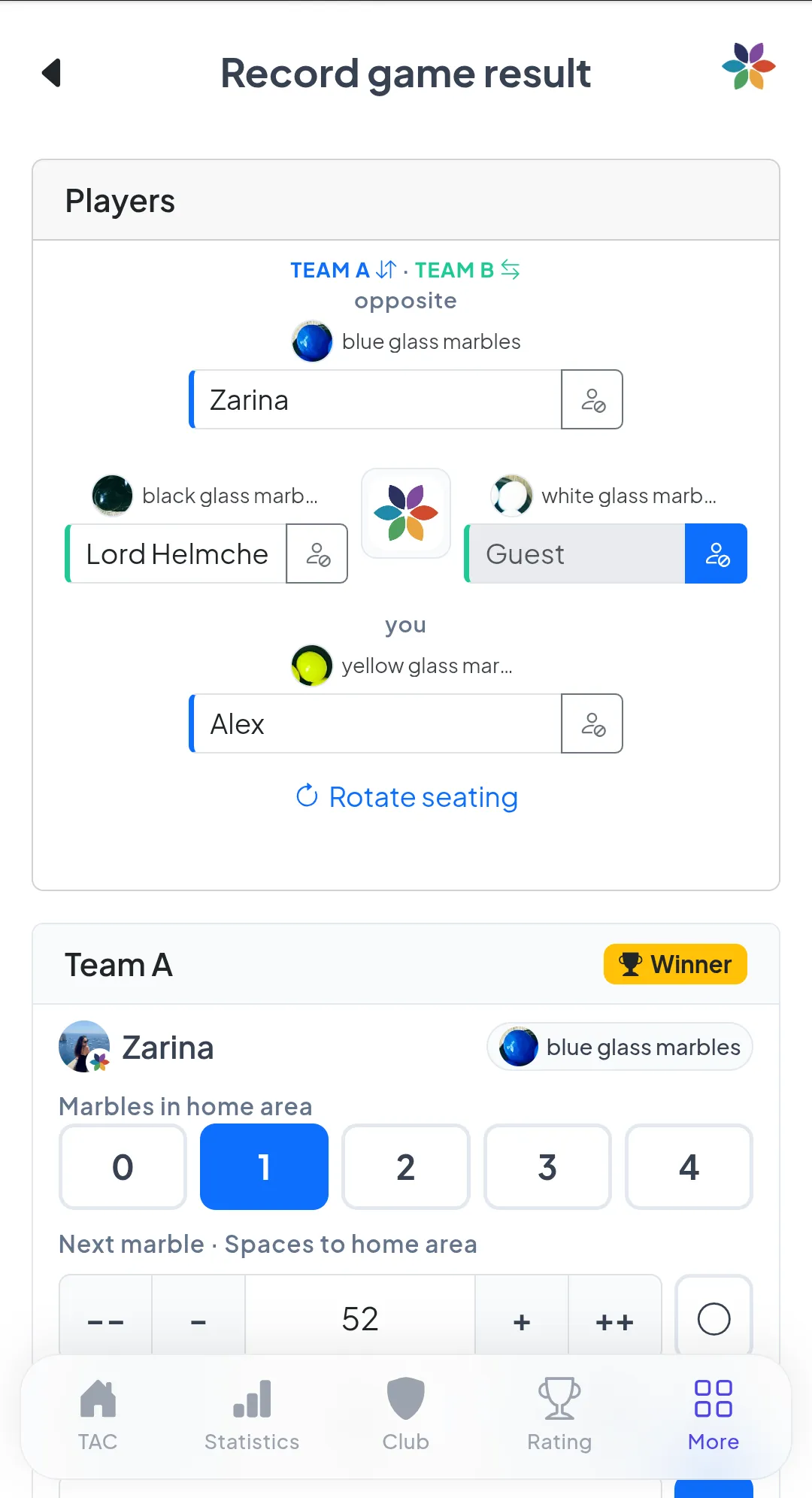
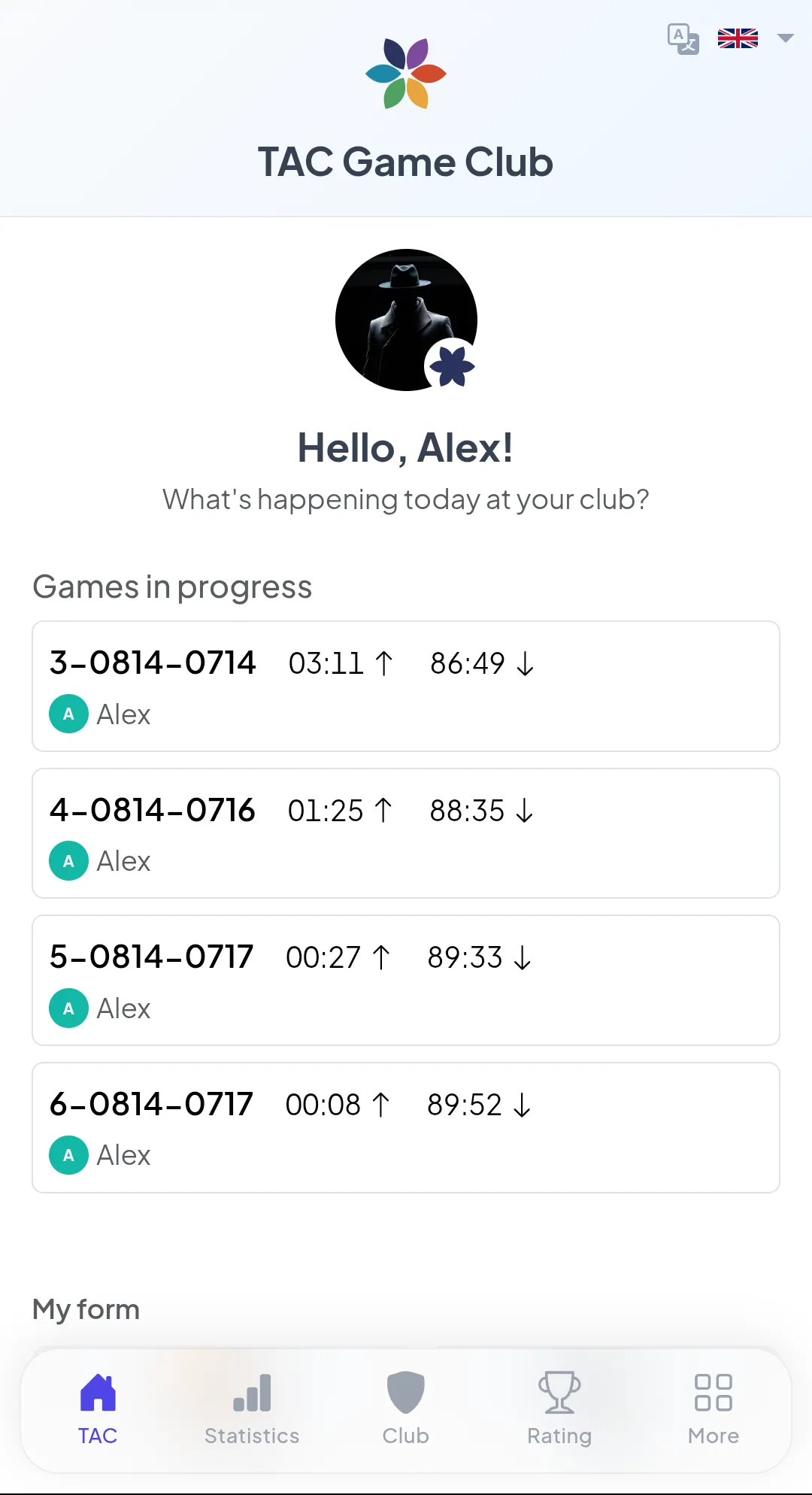
Tap to enlarge
Privacy: a club decision
For analysis, both photos leave our infrastructure and are sent to an external AI service. This is not something that should happen automatically—therefore, the feature is disabled until a club explicitly enables it.
- •Off by default. Only the club admin can enable analysis – for the entire club, in one place, with a toggle in the club settings.
- •Without evaluation, everything remains as before: the guided table is not provided, and results are entered manually as before. No image is sent anywhere.
- •Only the two images are transmitted. No names, no Telegram accounts, no club name – and no one is supposed to be visible in the photos anyway.
Try it at your next club night
The mini app runs directly in Telegram without installation—free for members.